
By Benoit Descary · November 12, 2026 · Guide
AI cooking assistant: what Olive actually does in your recipe app
Read this article in: Français · Español · Deutsch · Italiano · Nederlands
A recipe app without artificial intelligence stores whatever you give it. You type the recipe, you pick the meals, you write the list. Olivi works differently: Olive, its AI cooking assistant, reads your grandmother’s recipe cards, watches the TikTok video for you, builds your week from one sentence and answers when you are standing at the stove, not sure what to do with the fish. Here is what that changes in a real week, with examples, and what Olive does not do.
Key takeaways
- Olive turns a photo of a cookbook page, a handwritten card or a video into a complete recipe, without you typing a word.
- She plans the week around your tastes, allergies and equipment, and the grocery list fills in from there.
- She answers while you cook: a technique, a cooking time, an ingredient to swap.
- She acts inside the app, but you confirm every step.
Without AI, a recipe app is a binder
A good binder is worth having. Your recipes live in one place, you can find them, you can pull them up at the store. But all the work stays on your side. Your aunt’s lasagna has to be typed out. On Sunday night you are still the one figuring out Monday, Tuesday and Wednesday. And when the recipe says “poach the fish” and nothing more, the binder has nothing to add.
That is where well-built AI earns its place. It takes over the chores that end with ordering pizza.
Your recipes come in without typing
Take the old spiral notebook, the one with grease stains and slanted handwriting. You photograph the page. Olive reads it, cursive included, separates ingredients from steps, picks up the quantities and hands you a clean recipe to review before you save it. The same goes for a page from a cookbook or a magazine.
For a TikTok, Instagram or YouTube video, you paste the link. If the recipe is written in the caption, Olive uses it. If not, she watches the video and pulls out the ingredients and the steps. No more pausing every four seconds to take notes.
An example: restructuring a recipe
You imported “grilled salmon with fennel salad and orange vinaigrette”. It arrived as one block: fourteen ingredients in a row and eight steps where the vinaigrette, the salad and the fish are tangled together. You tap “Restructure into sections”, and Olive reorganizes it like this:
- Orange vinaigrette: its four ingredients and its one step, to make ahead.
- Fennel salad: its five ingredients, to prep while the oven heats.
- Grilled salmon: the fish, its seasoning and the cooking, last.
Nothing is added and nothing is removed. It is the same recipe, but you can see at a glance what gets done the day before and what waits until the last minute.
The restaurant dish, remade at home
Saturday night at a restaurant, you are served a mushroom risotto you will remember for a long time. You take a photo of the plate. Back home, you give the photo to Olive: she recognizes the dish and writes you a recipe for it, adapted to your allergies and to what is already in your pantry. It also works with a photo you saw on social media or in a magazine.
It will not be the chef’s secret recipe, and Olive does not pretend it is. It is an honest home version, so you can have the dish again on a Tuesday night.
Your week, decided in one sentence
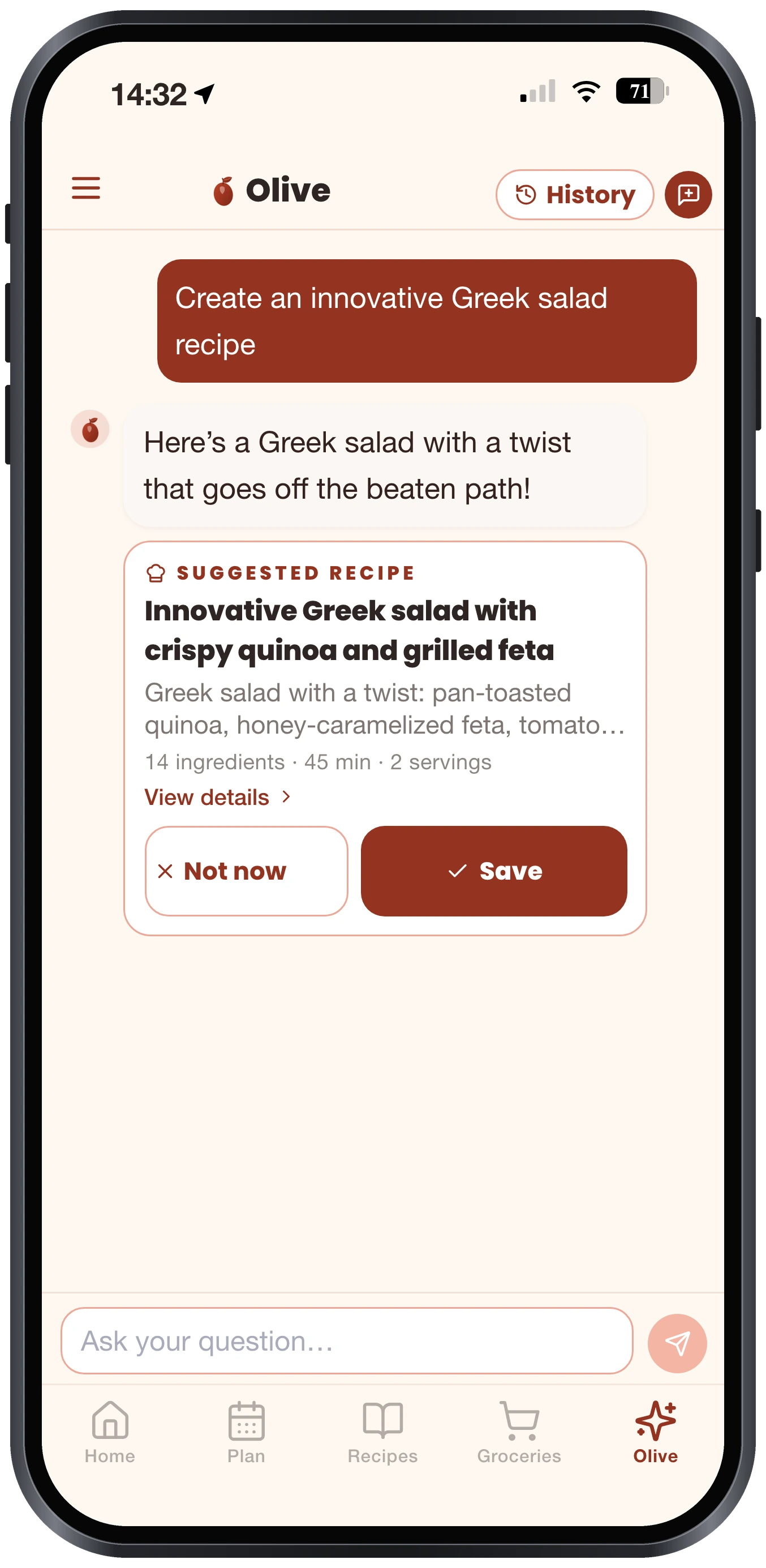
You write to Olive the way you would to someone cooking for you: “Four quick dinners this week, no pork, and something the kids will actually eat.” She suggests complete recipes, with ingredients and steps, not just titles. Keep the ones you like, ask her to replace one, and the plan is full.
Her suggestions follow your profile: diet, allergies, foods you avoid, skill level, equipment. If you have no oven, or you swear by your slow cooker, she knows.
Once the week is set, the grocery list fills in from the meals, sorted by aisle. You uncheck what you already have. And if you would rather batch cook on Sunday, Olive lays out the session: what to start first, what to do while it simmers, what goes in the freezer.
And the nights with no plan? Tell her what is lying around: “I have half a roast chicken, two zucchini and some leftover rice.” She makes up a recipe with that, not with twelve ingredients you would have to go buy. For lunch the next day, she can also suggest a packed meal that uses up the dinner leftovers.
Someone to ask, with flour on your hands
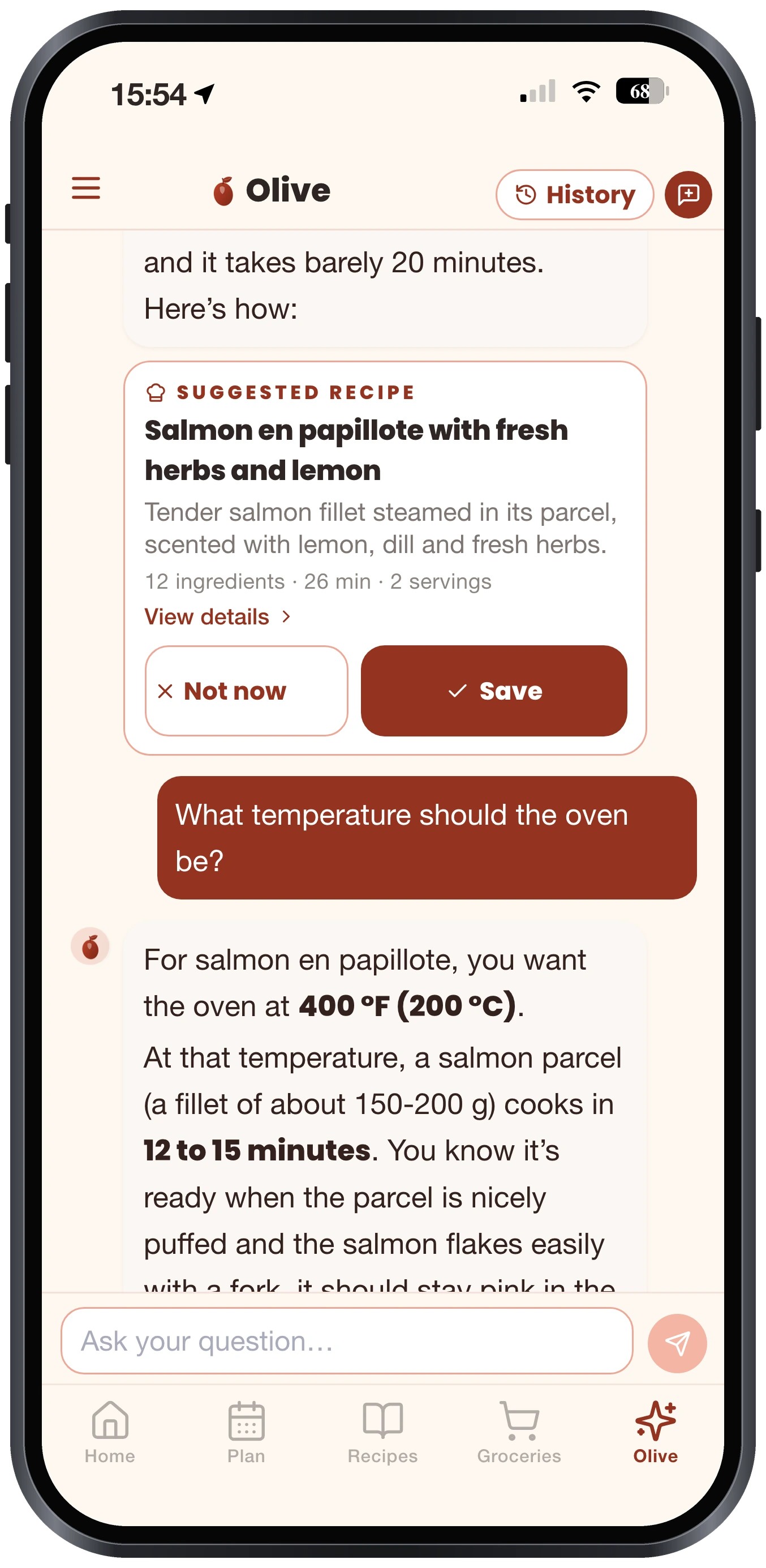
Cookbooks assume you already know. “Poach”, “deglaze”, “mount with butter”: if nobody ever showed you, you guess. With Olive, you can ask. How to poach fish without it falling apart. How to tell when caramel is ready. How many grams are in a cup of flour. Which wine goes with beef bourguignon.
Missing an ingredient? Tell her which one and she suggests a swap that fits the recipe, because you do not replace cream the same way in a soup and in a dessert. The same goes for a spice you cannot find. She can also adapt a whole recipe, into a vegetarian version for example, or take out an ingredient someone at the table does not eat.
Questions people really ask her
A few messages sent to Olive on an ordinary weeknight:
- “My cheese sauce went lumpy. Can I save it?”
- “I have no buttermilk for my pancakes. What do I use?”
- “Convert 2 cups of flour to grams.”
- “Make this recipe vegetarian.”
- “Take out the cilantro, my partner says it tastes like soap.”
- “How do I share my grocery list with my husband?”
The last one has nothing to do with cooking, and that is on purpose: Olive knows the app too and tells you where to find things.
She remembers what you tell her
Tell her once that your youngest hates mushrooms, or that you get home late on Thursdays. Olive keeps it in mind next time, without you repeating it. In your profile you can see everything she has noted about you, and switch off or delete any item.
Why not just ask ChatGPT for a meal plan?
For a recipe idea, a general assistant like ChatGPT does a fine job. The difference shows up right after. Its answer is text in a chat: you have to copy it, file it somewhere, rebuild the grocery list by hand, then start over next week and explain your allergies again.
Olive works inside your kitchen. She knows your recipes, your weekly plan, your pantry and your list. When she suggests a dinner, one button adds it to the plan. When ingredients are missing, another sends them to the list. The conversation ends with a planned meal, not with text to copy.
The same week, with and without AI
| What you want to do | Recipe app without AI | Olivi, with Olive |
|---|---|---|
| Keep a recipe from a cookbook | Type it out | Photograph the page |
| Keep a recipe from a video | Pause and take notes | Paste the link |
| Remake a dish you had at a restaurant | Search for a recipe that looks close | Photograph the plate |
| Tidy up a one-block recipe | Rewrite it yourself | One button restructures it into sections |
| Pick the week’s meals | Browse and decide alone | Ask in one sentence |
| Understand a technique | Search elsewhere on the web | Ask Olive |
| Swap an ingredient | Search elsewhere on the web | Olive suggests based on the recipe |
What Olive does not do
Olive is artificial intelligence, and she can get things wrong. Read a scanned recipe before you save it, quantities above all. For a serious allergy, always check the labels yourself. She is not a doctor or a dietitian.
She decides nothing for you. Every action goes through a card you accept or decline: add to the plan, add to the list, save the recipe. And the nutrition facts shown in Olivi are not made up by the AI: they are calculated from Health Canada’s food composition data.
Frequently asked questions
What is Olive in Olivi?
Olive is Olivi’s virtual cooking coach. She is an AI cooking assistant who scans your recipes, builds your weekly meal plan, helps fill your grocery list and answers your cooking questions.
Is Olive better than ChatGPT for recipes and meal plans?
They do different jobs. ChatGPT gives you text to copy. Olive works inside the app: she knows your recipes, your plan and your list, and what she suggests is added to your plan or list in one tap. She also remembers your tastes from one week to the next.
Can Olive read a handwritten recipe?
Yes. Photograph the card or the notebook page and Olive extracts the ingredients, quantities and steps, cursive included. You review the result and fix anything before saving.
What does “Restructure into sections” do?
It reorganizes a recipe written as one block into clear parts, such as the marinade, the sauce and the main dish. The ingredients and steps stay the same; they are only grouped.
Does Olive take my allergies into account?
Yes. Her suggestions follow your profile: diet, allergies, foods to avoid, equipment. For a serious allergy, still check product labels.
Which devices does Olive work on?
iPhone, iPad and Android, and any computer through the browser. Your recipes and your plan follow you from one device to the next.
Related articles
Where to next
Let Olive plan your week
Olivi builds your menu and generates your grocery list automatically, sorted by aisle. Free forever plan, no credit card.
Get the appGet the appAlso worth reading: Olivi is on the App Store: the recipe and meal planner app for iPhone, iPhone Duo and iPad · Hanukkah food for all eight nights: latkes made ahead, a brisket that waits, and one big family dinner