
By Benoit Descary · June 22, 2026 · Guide
How to create a recipe: by hand or with AI Olive
To create a recipe in Olivi, you have two main options: write it yourself by hand, or generate it with AI Olive by simply describing what you want to cook. Either way, the recipe gets a structured card: title, ingredients, steps: and is added to your collection, ready to drop into your weekly plan and feed your grocery list. AI-assisted creation is what sets a real cooking recipe app apart from a simple notebook: you start from an idea ("a comforting chicken dinner for 4"), and Olive hands you a complete recipe in seconds.

Key takeaways
- Two ways to create a recipe: generate it with AI Olive, or enter it by hand.
- With AI: you describe what you want (ingredient, mood, time, servings) and Olive writes a structured recipe.
- Do not want to start from scratch? You can also import a recipe (URL, PDF) or photograph it.
- A created recipe is added to your collection, your weekly plan and your automatic grocery list.
Create a recipe with AI: you describe, Olive writes
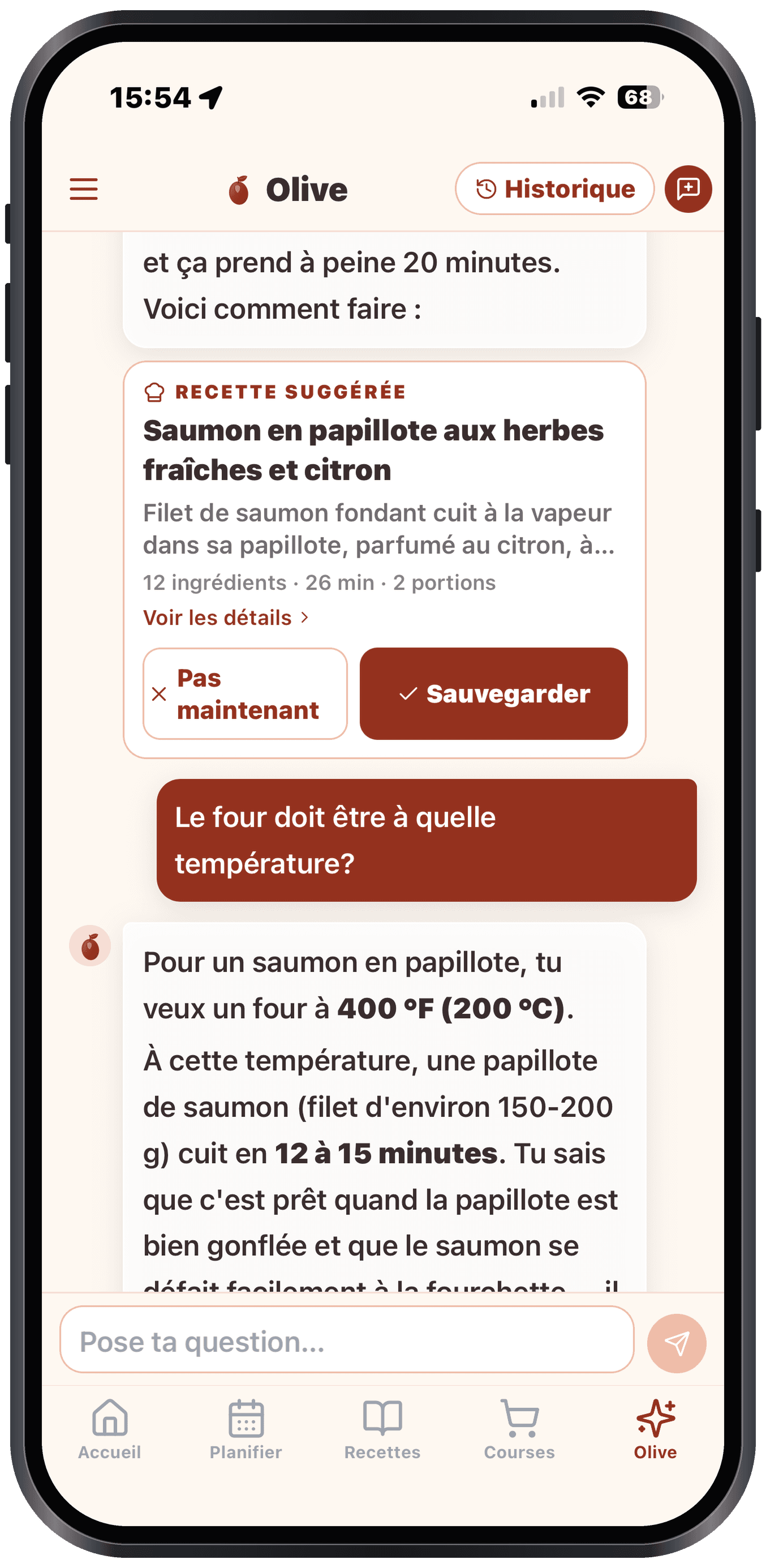
This is the fastest way. You open Olive and tell her what you have in mind: an ingredient to use up, a craving ("comforting", "light", "spicy"), a number of servings, the time you have to cook. Olive suggests a complete, structured recipe: title, ingredient list with quantities, and clear steps.
You stay in control: you adjust the quantities, swap an ingredient, fix a step, then save. That is exactly what you want from the best recipe app: not just to store recipes, but to help you create new ones, suited to your fridge and your tastes.
Create a recipe by hand, step by step
Have your own family recipe or a very specific idea? You can enter it yourself: a title, the list of ingredients with their quantities, and the steps. The card stays clean and easy to follow in the kitchen, and you can edit it whenever you want.
Whether you start from AI or from a blank page, the result is the same reusable recipe format: that is what makes a cooking recipe app an everyday tool rather than a pile of screenshots.
Do not want to start from scratch? Import or photograph
Creating a recipe does not always mean writing it. If you found a recipe online, paste its address (URL); if you have a file, drop in a PDF; if it is a page from a book or a handwritten card, photograph it. Olive extracts the title, the ingredients and the steps automatically, with no copy-paste.
Between AI generation, entering by hand and importing, you can bring just about any recipe into your collection.
A created recipe becomes useful right away
Creating a recipe is good; using it is better. As soon as it is in your collection, you can add it to your plan and build your weekly recipe list in a few taps. Olivi then generates your grocery list automatically, sorted by aisle.
It is also a shared grocery list app: you send a link to your partner or roommates, and when one person checks off an item at the store, the other sees it disappear in real time. A single grocery list app for the whole household, fed by the recipes you just created.
Frequently asked questions
How do I create a recipe with artificial intelligence?
You describe to Olive what you want to cook: an ingredient, a craving, the number of servings, your cooking time: and the AI writes you a complete, structured recipe (title, ingredients, steps). You adjust it as needed, then save it to your collection.
Can I create a recipe from a photo or a website?
Yes. On top of AI generation and entering by hand, you can import a recipe from a URL, a PDF, or photograph it (even handwritten). Olive automatically extracts the title, the ingredients and the steps.
Do I have to retype everything to create a recipe?
No. With AI Olive or import (URL, PDF, photo), you have nothing to copy over: the recipe is structured for you. Entering by hand is still available if you prefer to write everything yourself.
Can a created recipe be used for grocery shopping?
Yes. A created recipe is added to your weekly plan, and Olivi automatically generates the grocery list from it, sorted by aisle. You can share it with a link and check it off in real time with your household.
Related articles
Where to next
Let Olive plan your week
Olivi builds your menu and generates your grocery list automatically, sorted by aisle. Free trial, no credit card.
Try Olivi for freeAlso worth reading: Copy Me That Alternative: What It Does Well, and What Olivi Adds · High-Protein Meal Plan: a Week Built From Real Numbers