
By Benoit Descary · June 18, 2026 · Guide
Sharing your grocery list: two people, in real time, no install
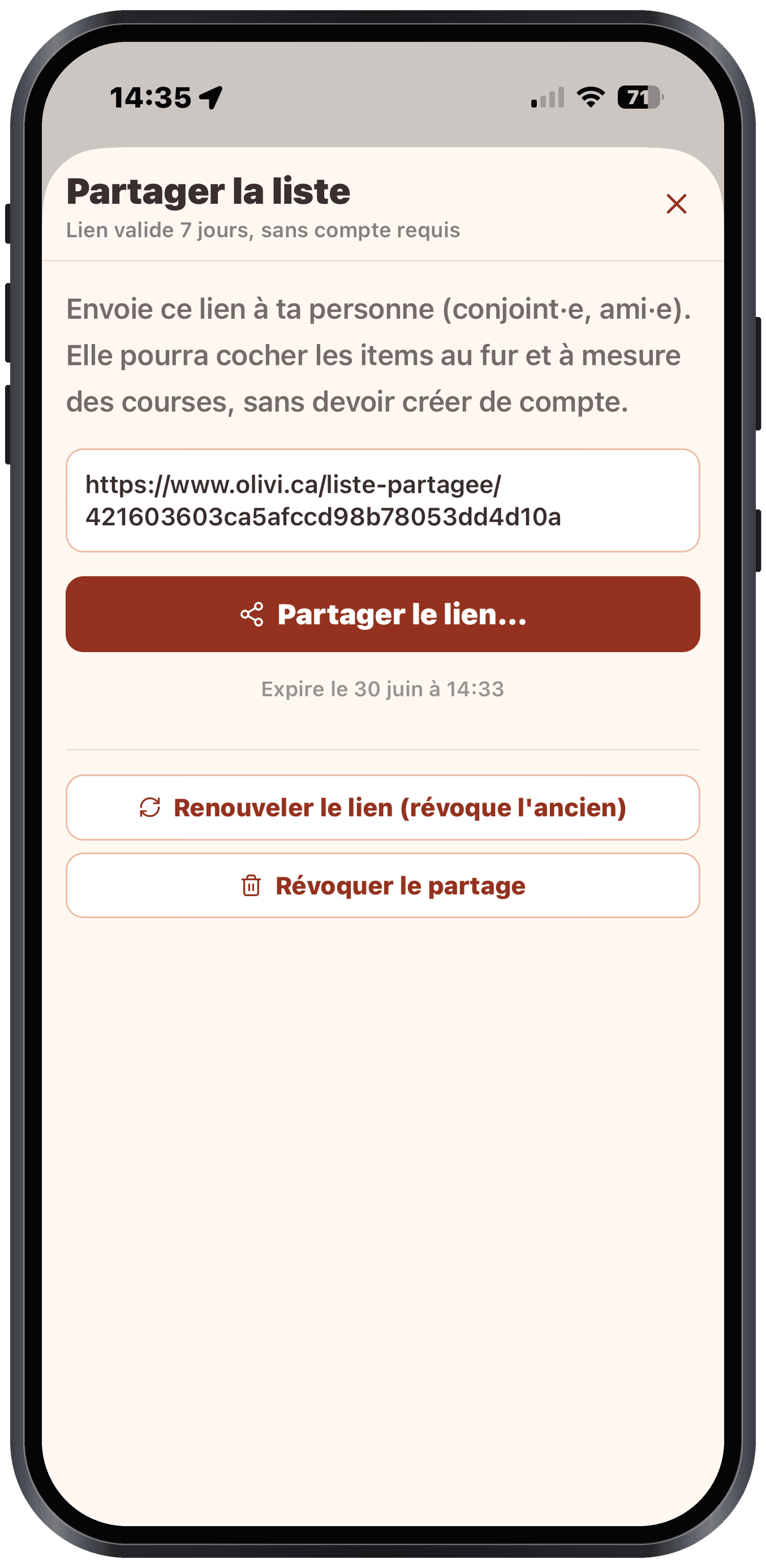
To share your grocery list with your partner, a roommate or a loved one, you send a simple link: they open the list in their browser and check off items alongside you, in real time. There is no need for them to install the Olivi app or create an account. That is what makes a shared grocery list app truly useful day to day: everyone sees the same grocery list, updated to the second.
Key takeaways
- You share your grocery list with a single link, with no complicated steps.
- Whoever receives the list installs nothing and creates no account: they open it right in their browser.
- Everything syncs in real time: when one person checks off an item, the other sees it disappear right away.
Share your grocery list in seconds
In Olivi, open your grocery list, tap “Share,” and send the generated link by text, email or your favourite messaging app. That is it. There is no code to enter, no account to create on the invited person’s side, and no settings to figure out.
That simplicity genuinely changes daily life. Instead of snapping a photo of a list scribbled on a scrap of paper or texting “grab some milk” every time, the two of you work on the same shared grocery list.
Whoever receives the list has nothing to install
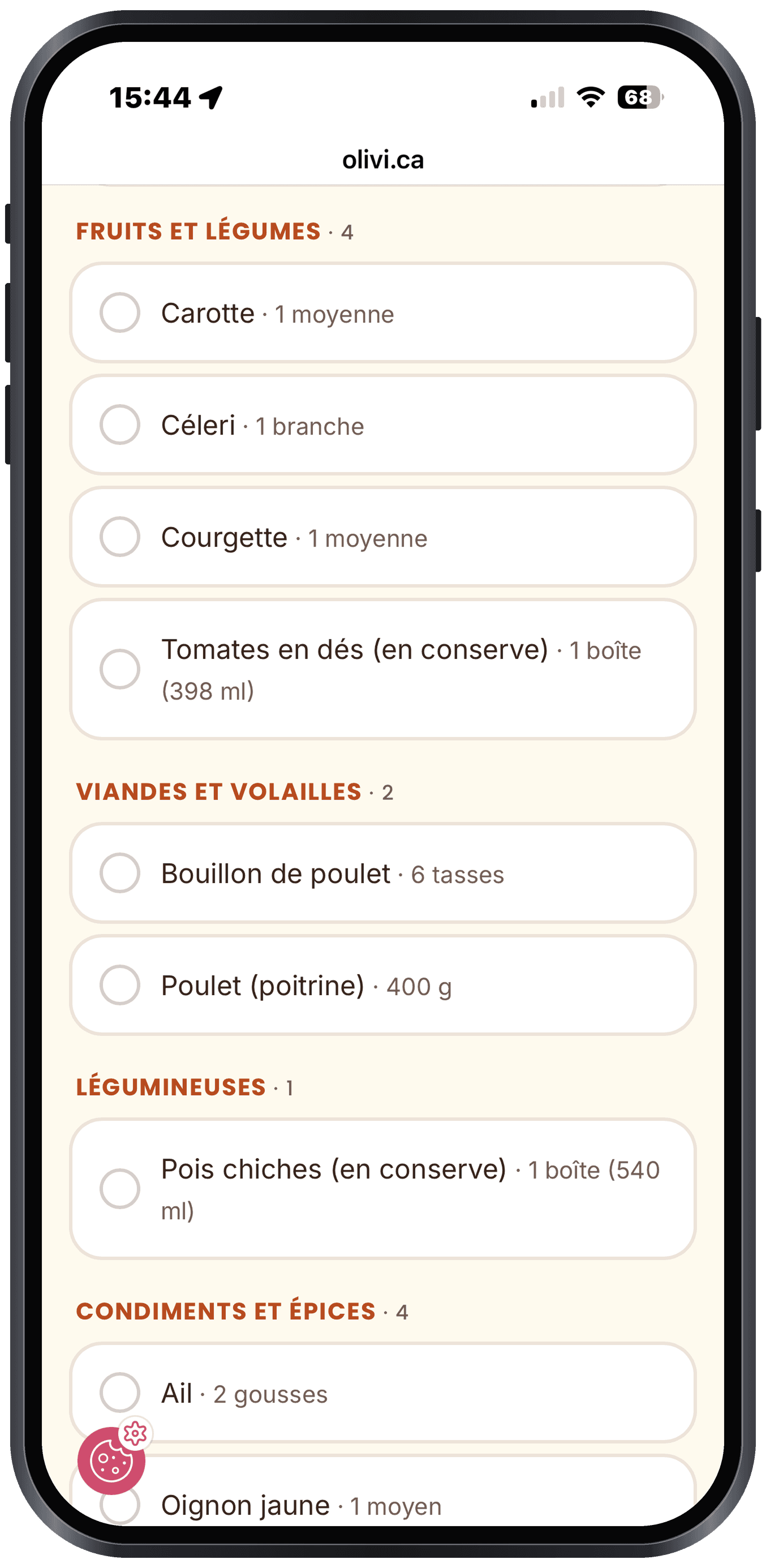
That is the great strength of Olivi’s shared grocery list: your partner, your roommate or your mother does not need to download the app or sign up. The link opens the list directly in their phone’s browser, like an ordinary web page.
The result: you can share your list with someone who does not use Olivi, without forcing an install on them. One less hurdle, especially when you just want the other person to pick up three items on the way home.
Synced in real time: no more duplicates
When two people shop at the same time, or one is at the store while the other adds items from home, the list updates instantly on both sides. You check off the bread and it disappears from the other person’s screen too.
No more duplicates (“did you already grab eggs?”), no more pointless back-and-forth. That is exactly what you want from a good shared grocery list app: a single source of truth, up to date for everyone.
A grocery list that (almost) fills itself in
Where Olivi goes further than a simple shared shopping list is that the list builds itself from your weekly plan. As a meal planner app and a recipe app, Olivi automatically generates your grocery list from the recipes you choose, already sorted by aisle (produce, meat, dairy and so on).
You can also add items by hand and check off what you already have in the pantry to avoid waste. The shared list is the finishing touch: once it is ready, you send it to the person you shop with.
Who it is for
- Couples who split the shopping without texting back and forth ten times.
- Roommates who share a fridge and a common grocery list.
- Families, so one parent can complete the list while the other is at the store.
- Anyone who wants to hand off the shopping to a loved one without making them install yet another app.
Frequently asked questions
Do you have to install Olivi to receive a shared grocery list?
No. Whoever receives the link opens the list directly in their phone’s browser. There is no install and no account to create. Only the person who creates and shares the list needs an Olivi account.
Does the list update in real time for both people?
Yes. As soon as one person checks off, adds or edits an item, the other sees the change instantly. It is a true shared, synced grocery list, not a frozen copy sent once.
How many people can share the same grocery list?
You can share your list with your partner, your roommate or your family. Anyone who has the link can view and check off the list in real time, which easily covers a household’s needs.
How is the grocery list created in the first place?
Olivi generates your grocery list automatically from your weekly plan and the recipes you choose, already sorted by aisle. You can also add items by hand, then share the final list with a single link.
Related articles
Where to next
Let Olive plan your week
Olivi builds your menu and generates your grocery list automatically, sorted by aisle. Free trial, no credit card.
Try Olivi for freeAlso worth reading: Copy Me That Alternative: What It Does Well, and What Olivi Adds · High-Protein Meal Plan: a Week Built From Real Numbers