
By Benoit Descary · October 9, 2026 · Guide
Olivi for Android is on Google Play: the meal planner app with your recipes and grocery list
Read this article in: Français · Español · Deutsch · Italiano · Nederlands
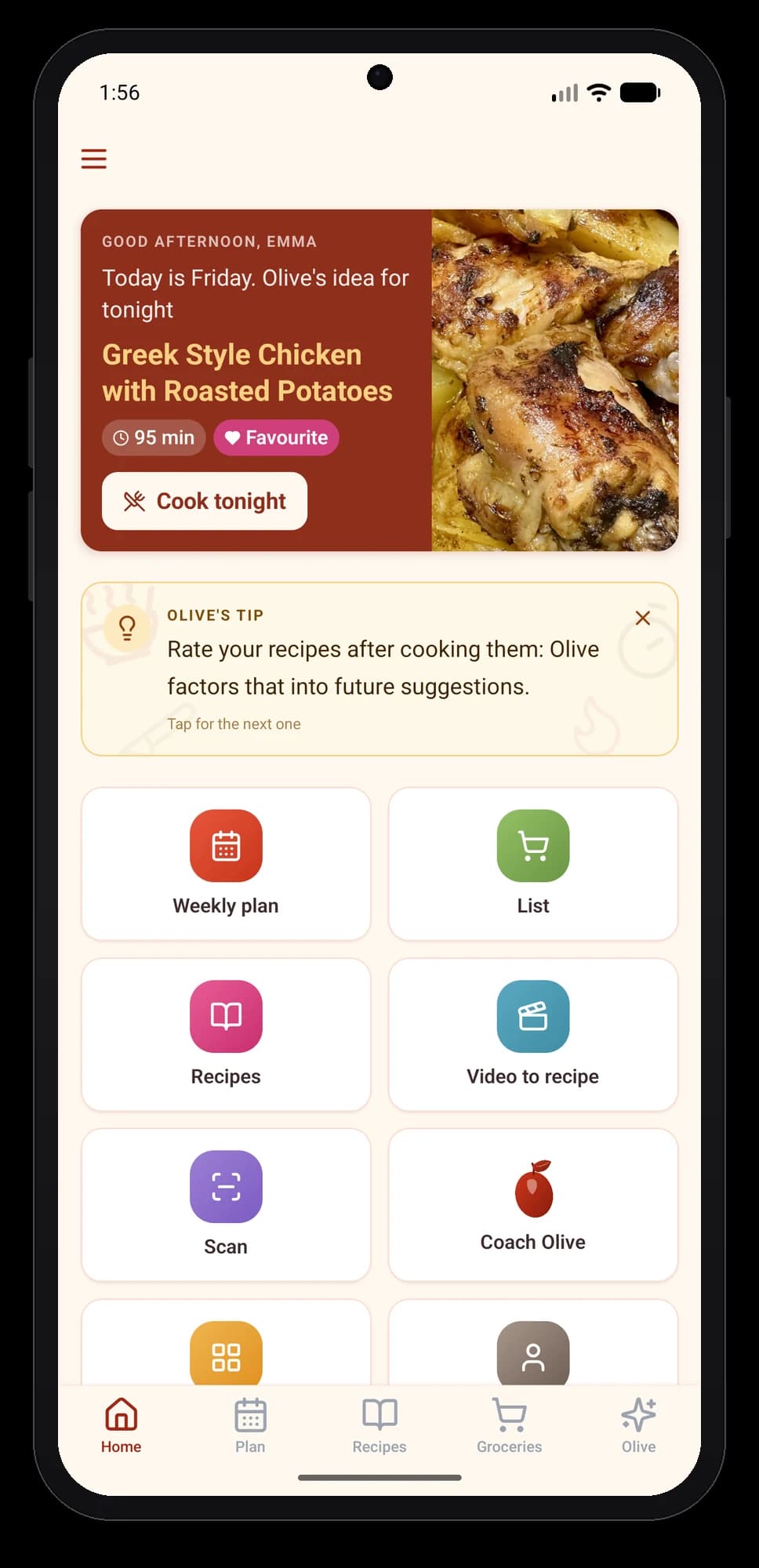
Olivi has been available on Android since October 5, 2026: the app installs for free from Google Play, in six languages, on phones and tablets, and it uses the same account as olivi.ca and the iPhone app. Your weekly menu built by Olive, your recipes and your grocery list are all there, synced in real time. It adds what a browser cannot do: save a recipe from TikTok or YouTube with the share button, shop offline, and photograph a paper recipe to keep it.
The short version
- Version 1.0.1, published on Google Play on October 5, 2026, available in 178 countries and regions.
- Android 7 or newer, about 23 MB to install, phones and tablets, portrait and landscape.
- Six languages: English, French, Spanish, German, Italian, Dutch; the app follows your profile language.
- Same account as the web and the iPhone: what you add on one shows up on the others within seconds.
- Free to install. The free plan keeps up to 50 recipes, an unlimited grocery list and 3 AI actions per week after 7 full days; Essential unlocks meal planning and everyday AI.
- Designed in Montréal by Tangram HQ Studio.
Share a recipe from TikTok, YouTube or Chrome, nothing to copy
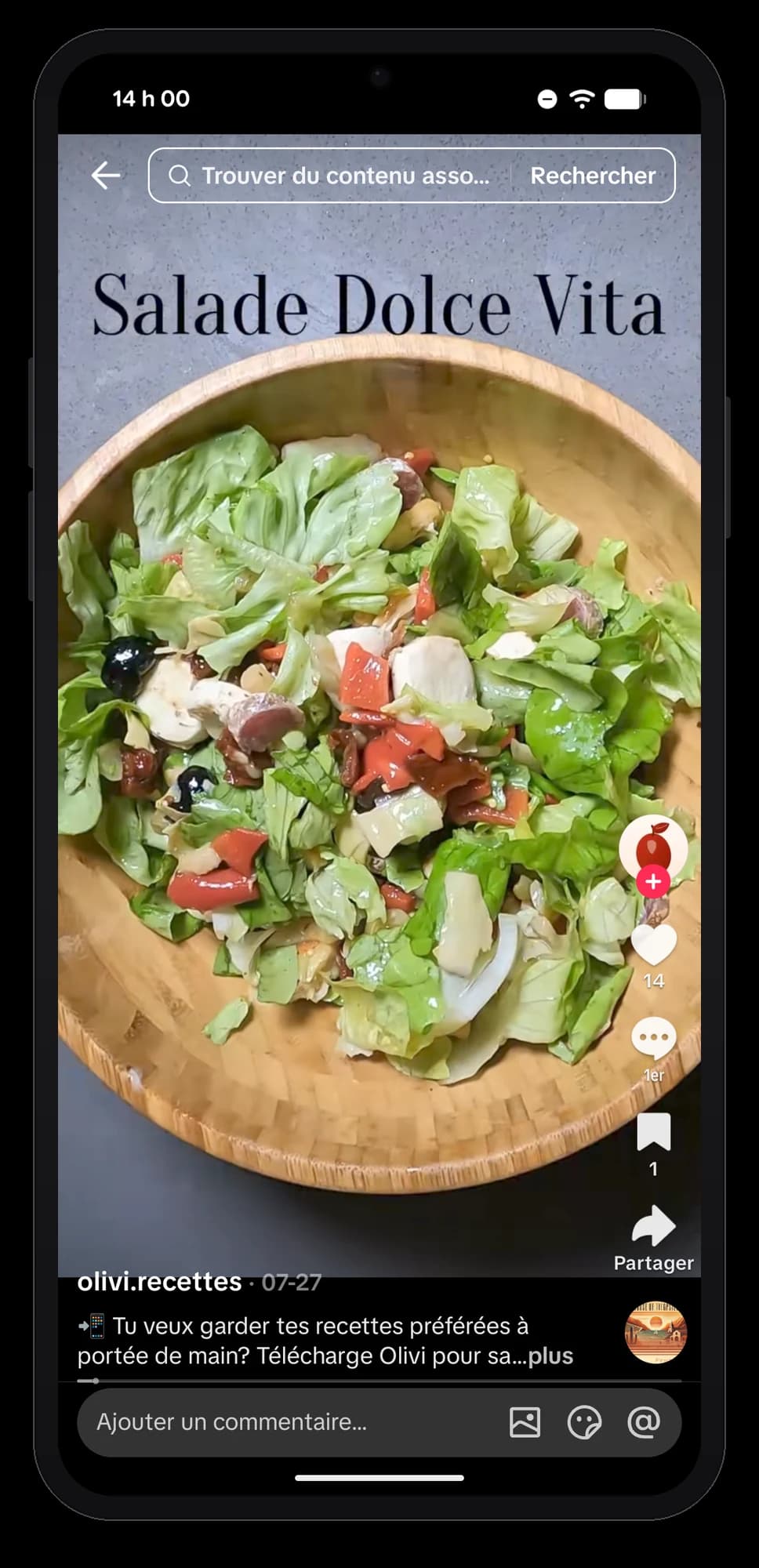
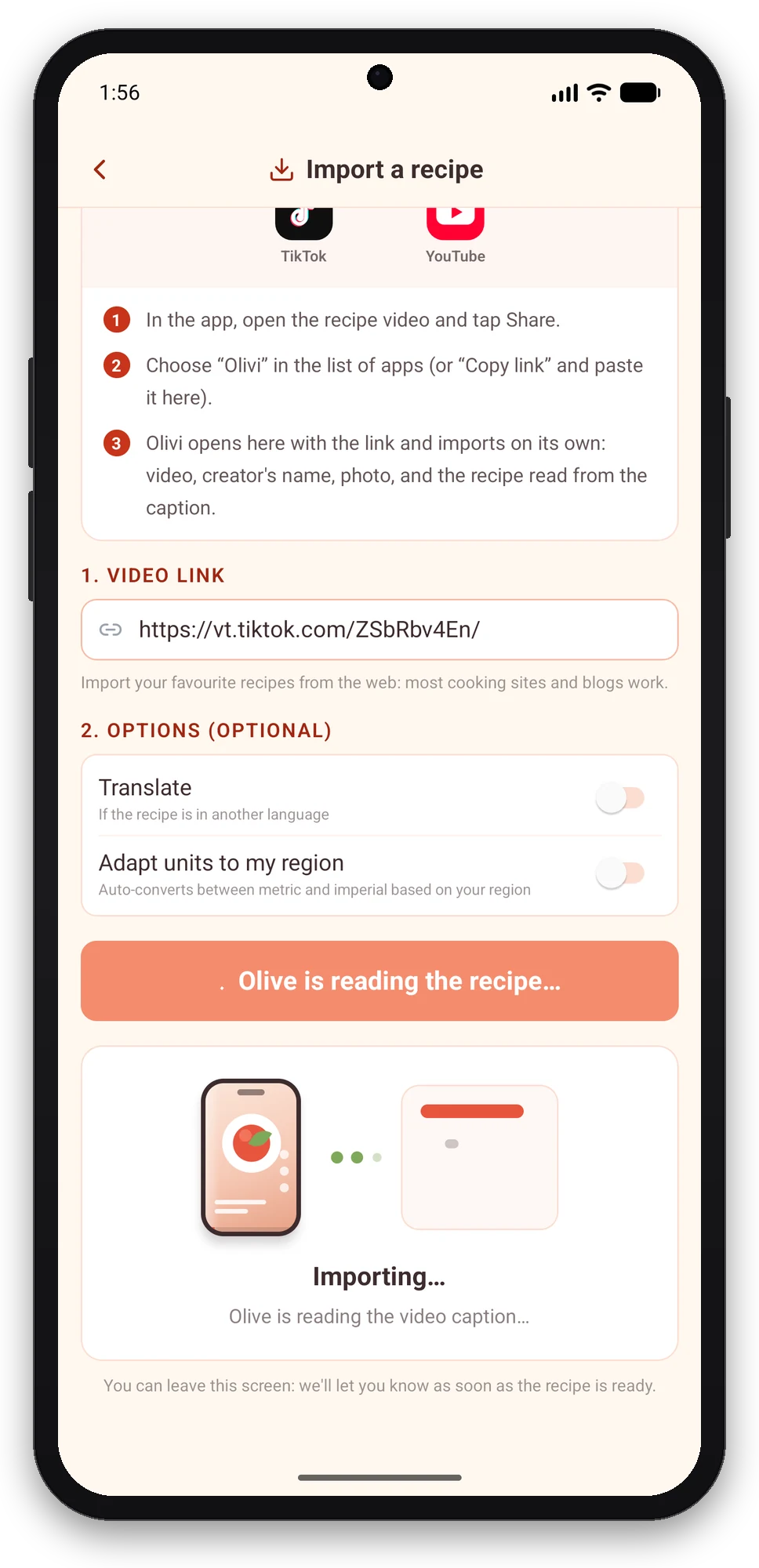
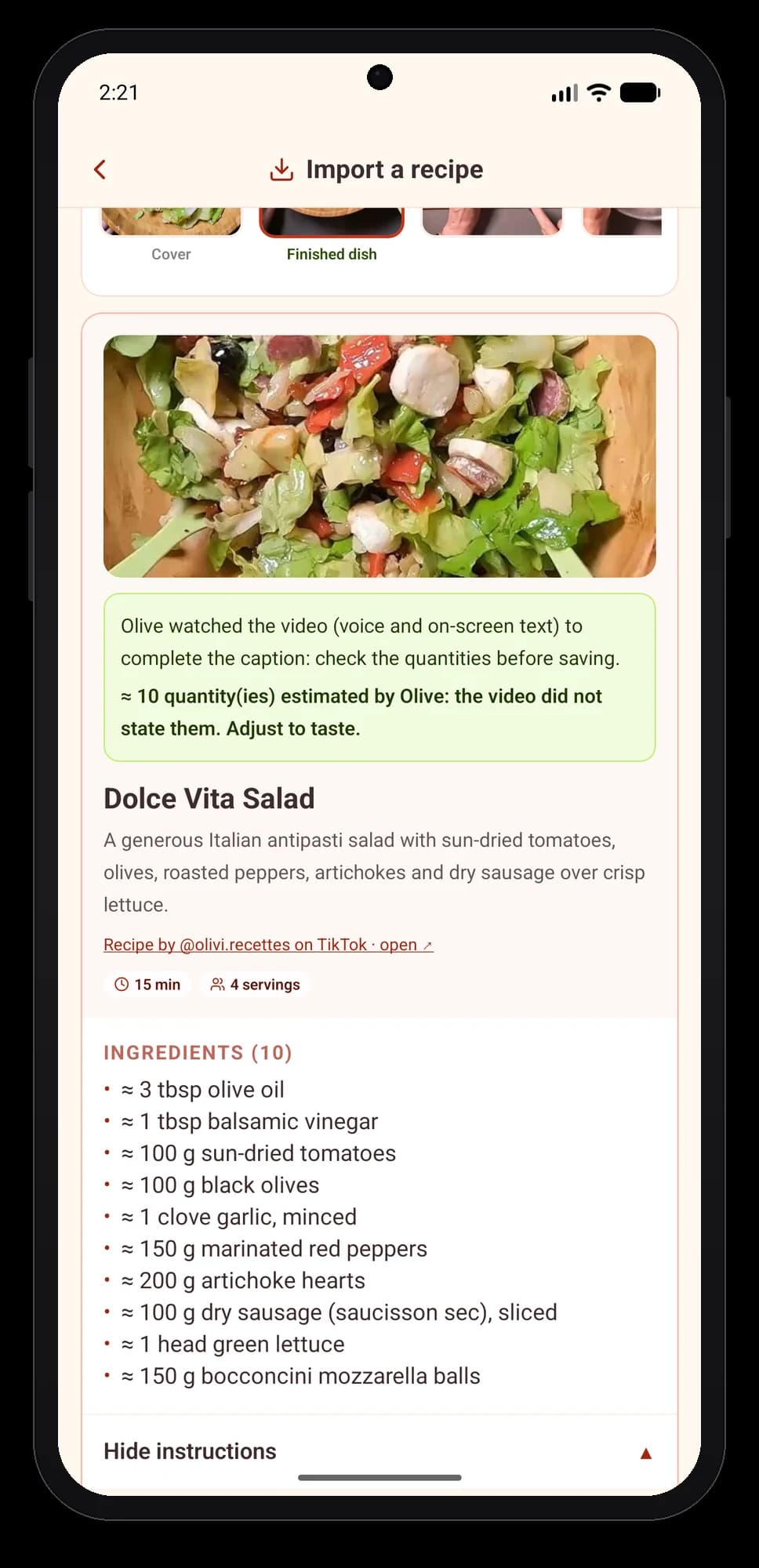
This is the gesture that changes everything on Android. You watch a recipe video, tap Share, pick Olivi: the app opens on the import screen with the link already in place and Olive gets to work. She reads the caption, watches the video if the recipe is not written out, then hands you a clean recipe card in your language, with the photo, the creator’s name and the original link.
The same button works from Chrome on a recipe page, from YouTube and from a TikTok photo post. On the website you had to copy the link and paste it; here there is nothing left to copy. The help article on importing a TikTok or YouTube video walks through it screen by screen.
Shopping mode, offline and full screen
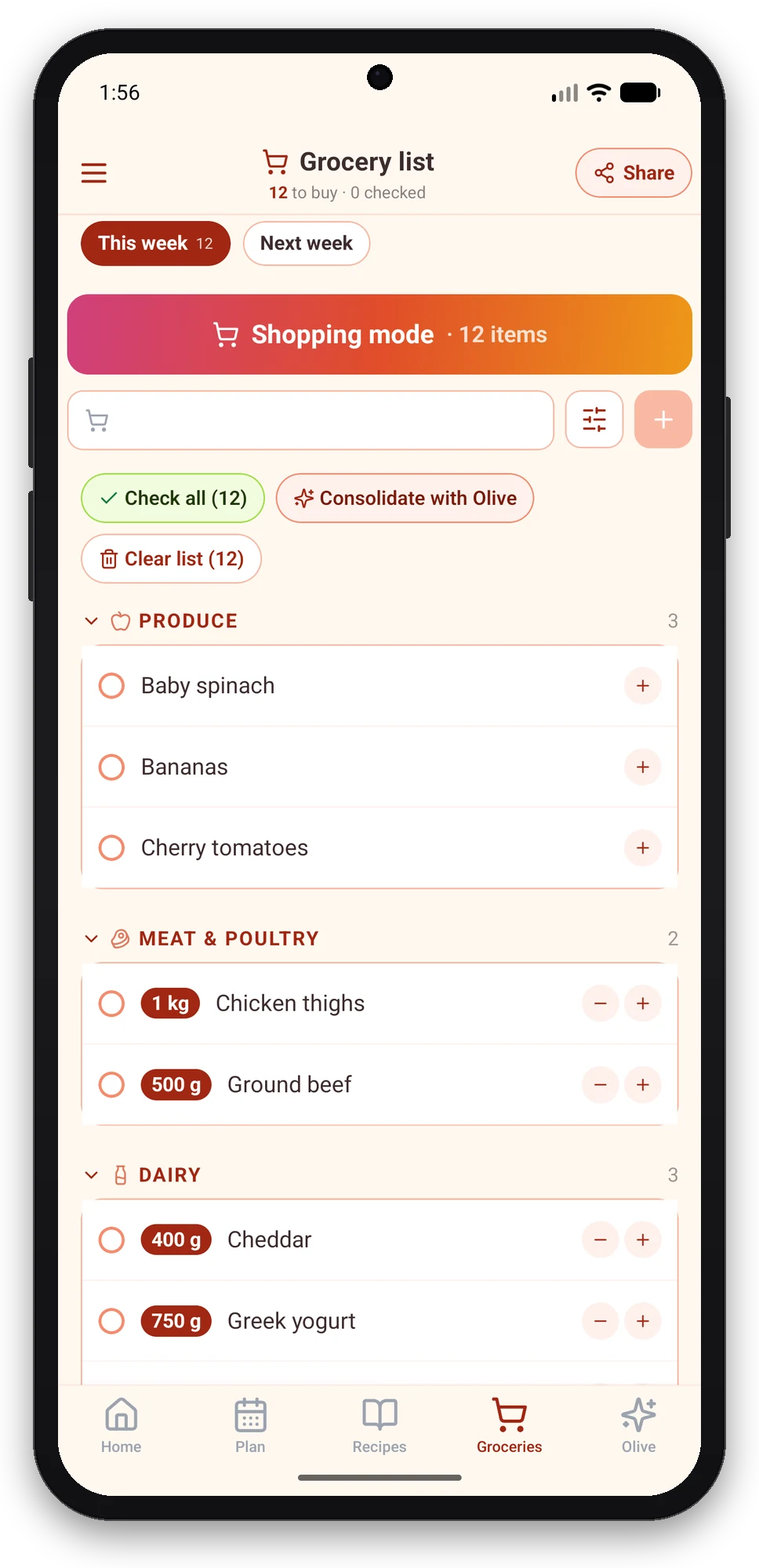
Store signal is often poor. The app’s shopping mode loads your list before you walk in, shows it full screen by aisle, and lets you check items with one thumb; checked items drop off the top and the remaining total stays visible. When the connection comes back, everything syncs with whoever shares the list with you.
The aisles are the same as on the website, including the custom aisles you created yourself (“Canned goods”, “Asian grocery”), in the same order.
Scan a paper recipe with the camera
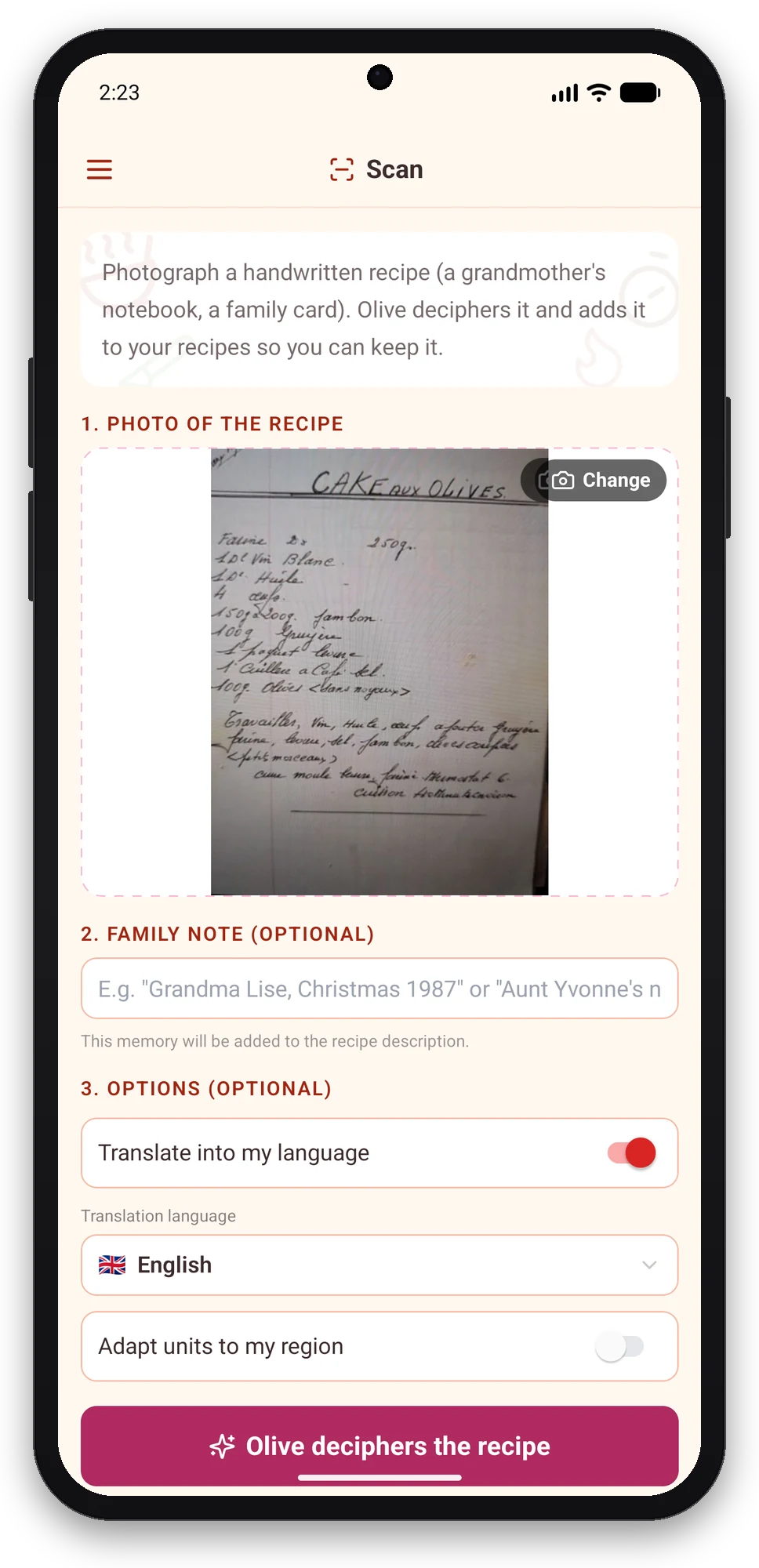
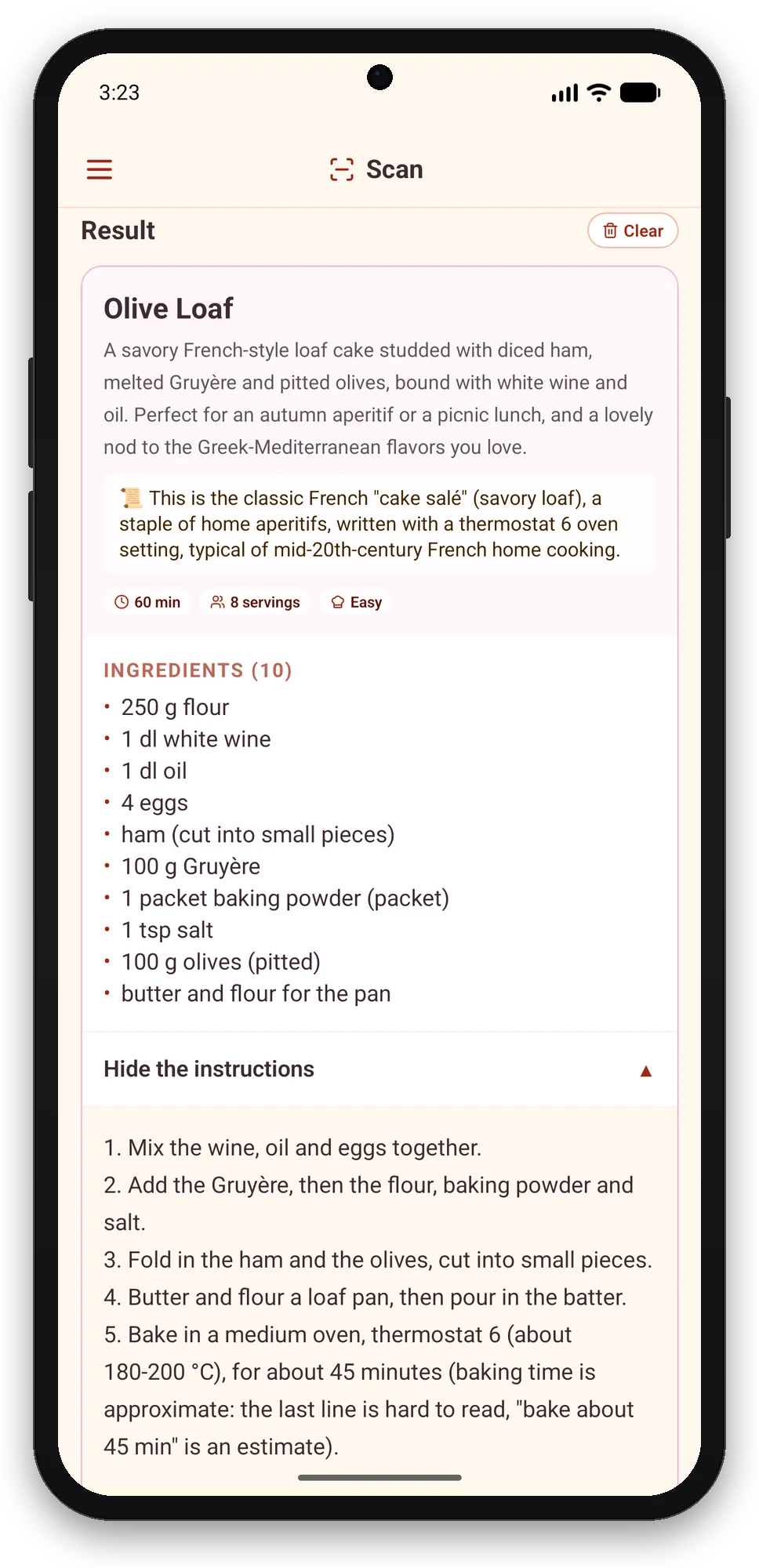
A notebook page, a magazine recipe, a handwritten card: photograph it in the app and Olive turns it into a structured recipe, ingredients and steps separated, quantities recognized. Family recipes make it into Olivi without retyping.
Olive builds the week, the list writes itself
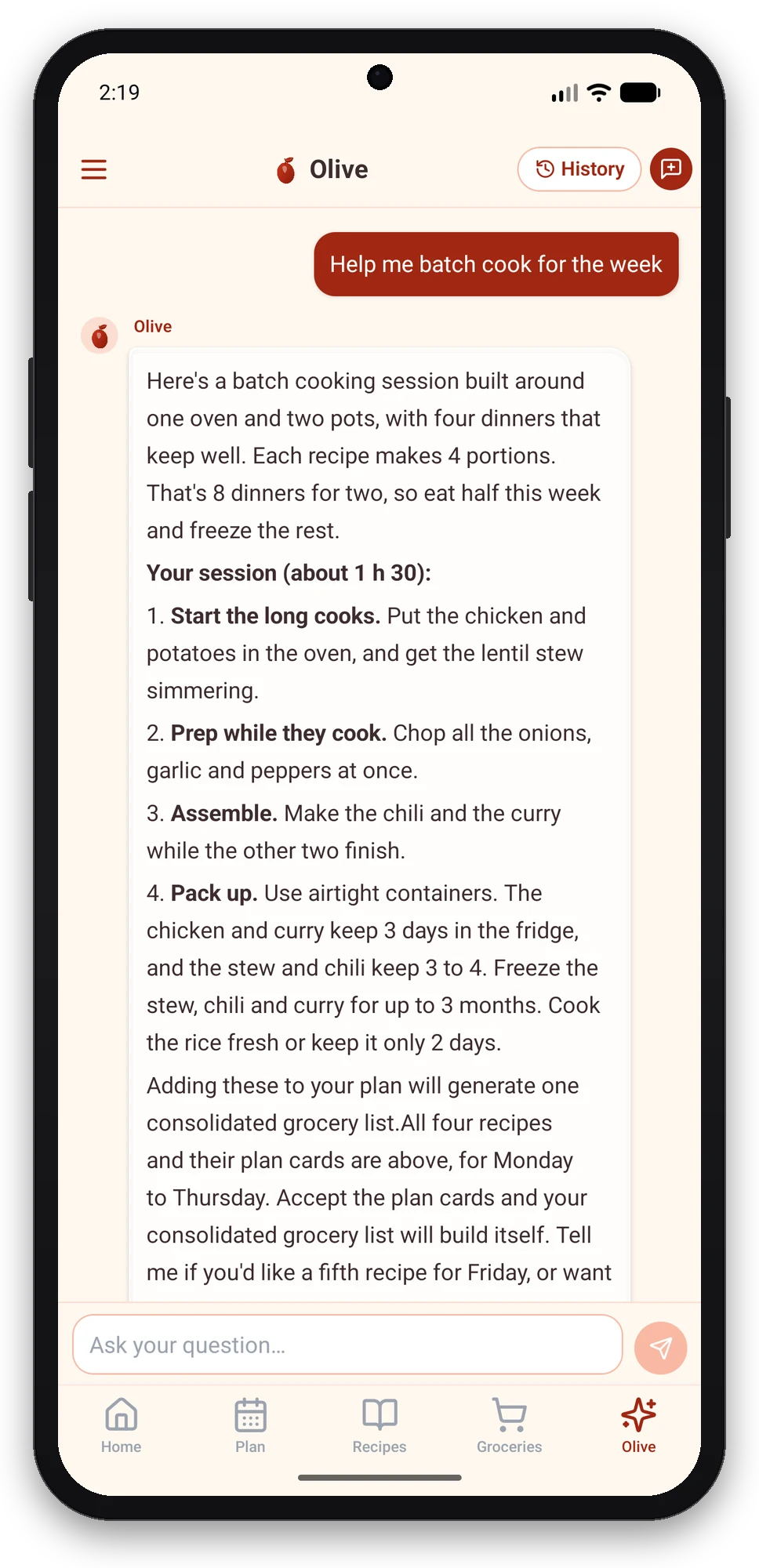
Olive is Olivi’s virtual cooking coach. On Android as on the web, she builds your weekly menu from your tastes, your constraints (diets, allergies, cooking time) and what you have left, then the grocery list is generated from the menu, sorted by aisle, with exact quantities. You can chat with her to swap a dinner, remove an ingredient, or ask for a recipe with what is in the fridge.
Nutrition facts for each recipe are calculated from Health Canada data; Olive gives cooking and planning ideas, she is not a dietitian and does not replace professional advice.
What early users changed
The app went through an open testing phase before this launch, and several fixes come straight from that feedback: the weekly plan no longer shows last week’s meals when you open it; custom aisles arrived because “Other” was overflowing; recipe photos now zoom; the app rotates and adapts to tablets and large screens; and the recipe counter on the free plan tells you clearly where you stand.
What about iPhone?
The iPhone and iPad app exists too, with the same account. For now it installs through TestFlight, Apple’s install tool, while its App Store listing is pending; the Download page has both links and remains the entry point for every platform.
Install Olivi on Android
Open the Olivi listing on Google Play, tap Install, then sign in with your Olivi account (or create it in the app: email, Google or Apple). If you were already using the website, your menu, recipes and list are there on first launch.
Frequently asked questions
Is it the same account as the website and the iPhone app?
Yes. One Olivi account works everywhere: olivi.ca, the Android app, the iPhone and iPad app. The weekly menu, recipes, grocery list and preferences sync in real time; a recipe imported on the phone shows up on the computer a few seconds later, and the other way around.
Is the Android app free?
Installing it is free and the free plan has no end date: up to 50 recipes, an unlimited grocery list and 3 AI actions per week after 7 first days where everything is open. The Essential plan, which you subscribe to in the app, unlocks meal planning and everyday AI.
Does it work on tablets?
Yes. The app adapts to Android tablets and large screens, in portrait and landscape: navigation moves to a sidebar and screens display in two columns, like on iPad. It requires Android 7 or newer.
What works offline?
Shopping mode works without a network: the list is loaded before you enter the store and you check items normally; sync resumes when the connection returns. Recipes you already opened and cooking mode also work offline. Olive’s features need a connection.
Which languages are available?
English, French, Spanish, German, Italian and Dutch. The app follows your profile language, and recipes imported from a video or a web page arrive in your language whatever the source, with units adapted to your country if you want.
How is it different from the olivi.ca website?
Same data and same features, plus what a browser cannot do: direct sharing from TikTok, YouTube or Chrome, the camera to scan a paper recipe, offline shopping mode and the app always in your pocket. The website remains ideal on a computer for longer planning and editing sessions.
Related articles
Where to next
Let Olive plan your week
Olivi builds your menu and generates your grocery list automatically, sorted by aisle. Free forever plan, no credit card.
Try Olivi for freeAlso worth reading: Monthly dinner calendar: 28 dinners on a 4-week rotation, with the printable PDF · Whole food meal plan for a week: 7 days of minimally processed meals, with the grocery list