
By Benoit Descary · June 18, 2026 · Guide
Shopping mode: your grocery list to check off with a thumb at the store
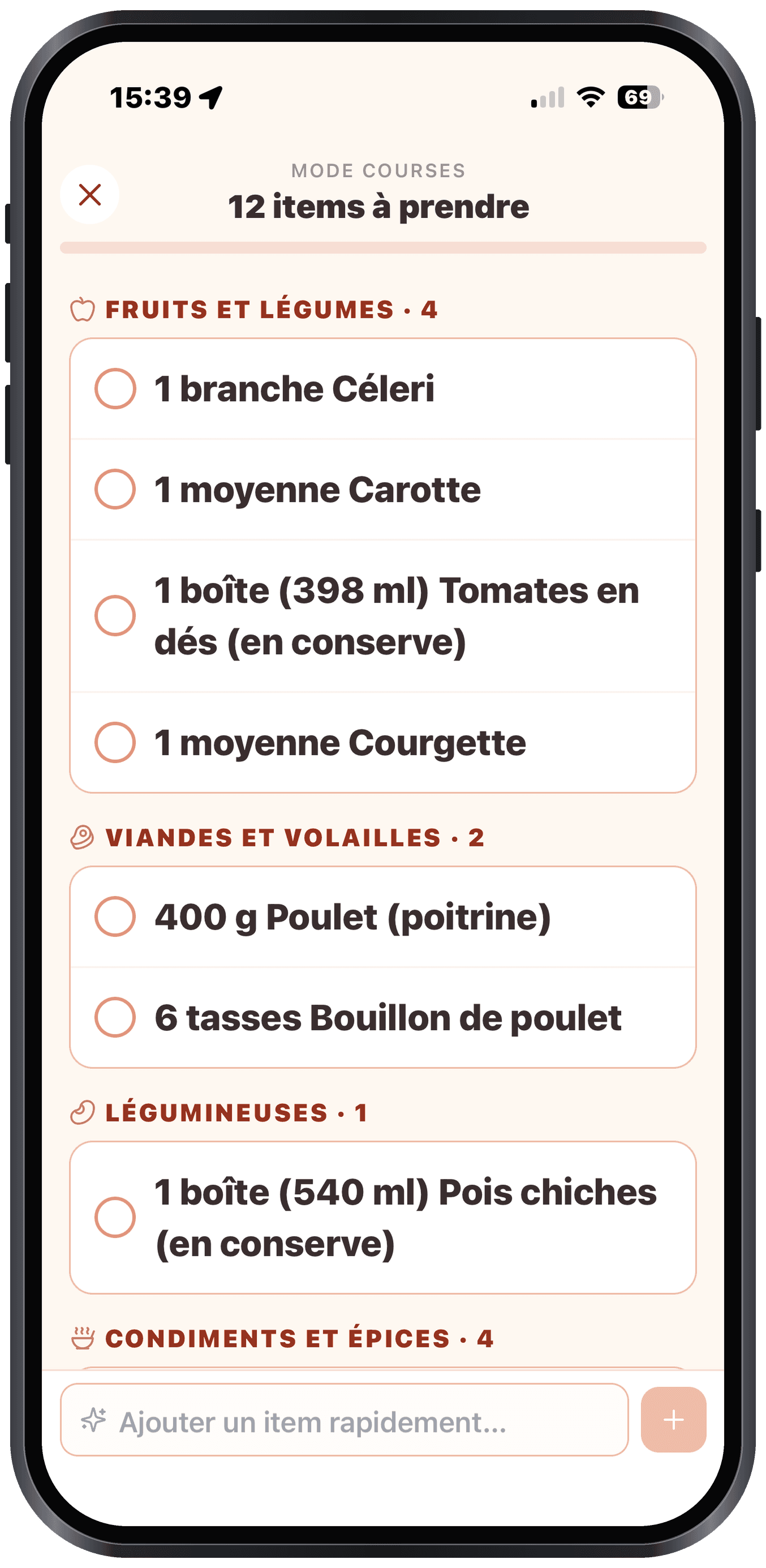
Shopping mode turns your grocery list into a big, simple display you check off with a single thumb while you shop. Items are grouped by aisle, in the order you cross the store, and each checked box disappears from what is left to grab. It is the fastest way to shop with a check-off grocery list, without juggling your phone or forgetting anything.
Key takeaways
- Shopping mode enlarges your grocery list to check off easily with a thumb, at the store.
- Items are sorted by aisle, in the order of your route through the store.
- What you check off syncs in real time, even if you share the list with someone.
A grocery list built for the store
Checking off tiny boxes on your phone, basket in one hand, is a pain. Shopping mode fixes that: it displays your grocery list large, with big buttons easy to tap with a thumb. You move through the aisles and check off as you go.
It is a real check-off grocery list, designed for actual use: fast, one-handed, without squinting.
Sorted by aisle, in store order
Nothing is more frustrating than going back to the produce section because you forgot an item. Olivi groups your list by aisle (produce, meat, dairy, groceries...), in an order that follows a typical route through a store.
The result: you shop in a single pass, with no needless back-and-forth, and you do not walk out having forgotten the milk.
Synced, even for two
Shopping mode stays connected to your shared grocery list. If your partner checks off an item from home, or adds "bread" while you are at the store, you see it in real time. No duplicates, no "did you already grab it?".
That is the advantage of a shopping list app built for real households: a single list, up to date for everyone.
Where does the list come from?
The grocery list builds itself automatically from your weekly plan and the chosen recipes. You can also add items to it by hand. When you get to the store, you switch to shopping mode and all that is left is to check off.
Frequently asked questions
What exactly is shopping mode?
It is a special display of your grocery list, enlarged, designed for the store: big buttons to check off with a thumb, items sorted by aisle, and whatever is grabbed disappears from the to-do list.
Is the list sorted in store order?
Yes. Items are grouped by aisle (produce, meat, dairy...), in an order that follows a typical route through a store, to save you the back-and-forth.
Does shopping mode work with a shared list?
Yes. Everything you check off syncs in real time with the person sharing your list. You can shop as a pair or complete the list remotely without creating duplicates.
Do I have to build the list by hand before shopping?
Not necessarily. Your grocery list is generated automatically from your weekly plan. You can then add items by hand, then switch to shopping mode at the store.
Related articles
Where to next
Let Olive plan your week
Olivi builds your menu and generates your grocery list automatically, sorted by aisle. Free trial, no credit card.
Try Olivi for freeAlso worth reading: Copy Me That Alternative: What It Does Well, and What Olivi Adds · High-Protein Meal Plan: a Week Built From Real Numbers