
By Benoit Descary · June 22, 2026 · Guide
The all-in-one AI cooking app: never wonder what to make for dinner again
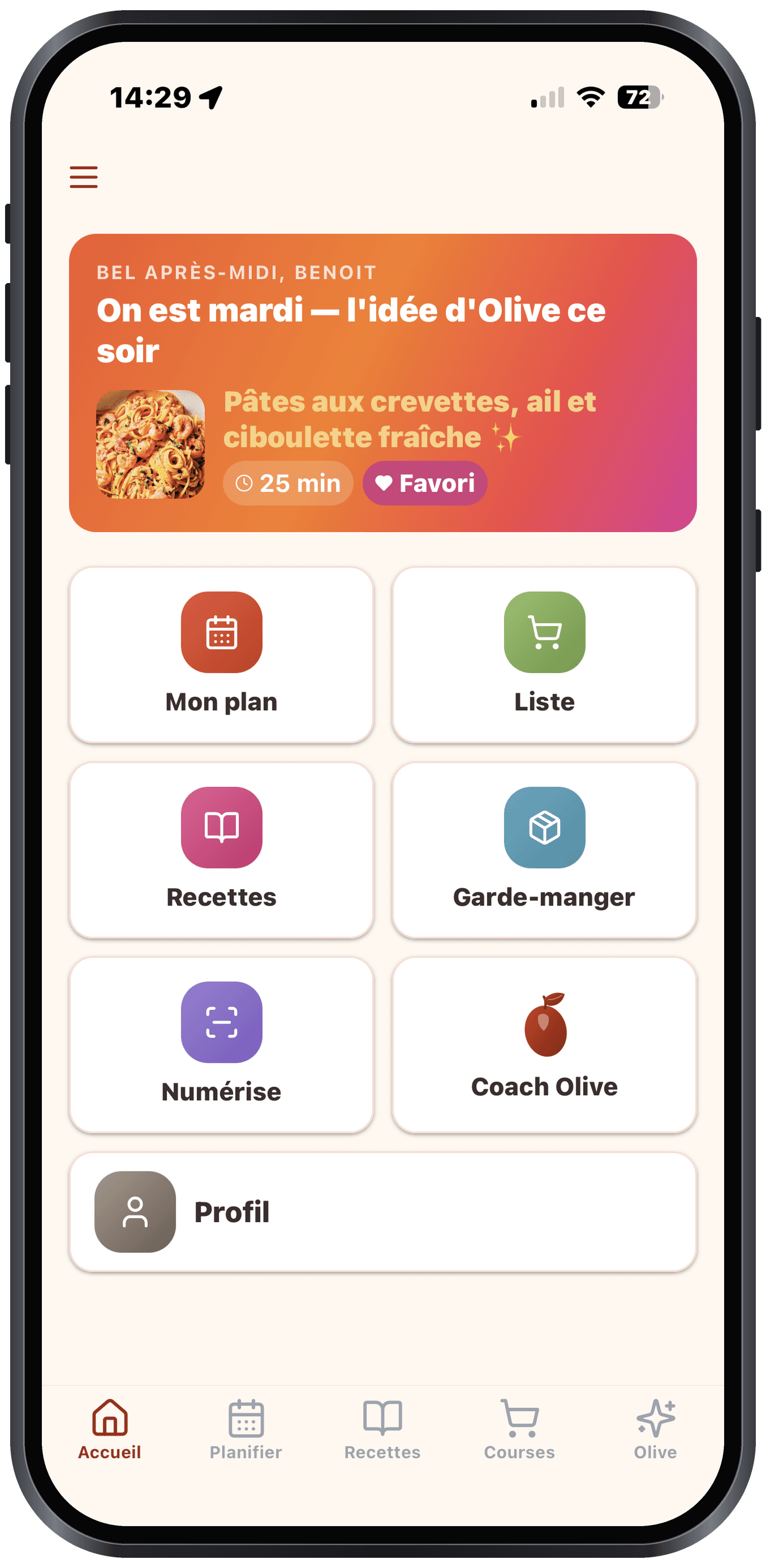
An all-in-one cooking app brings together in one place what you used to spread across several apps: meal planning, your recipes, your grocery list and your pantry inventory. Olivi goes further with a fifth building block that changes everything. AI Olive, who does not just stack these tools but makes them work together. In practice: you no longer wonder "what should I make tonight?", you ask Olive, and she builds your meal (or your whole week), generates your grocery list and takes into account what you already have. Where a classic cooking app simply adds features, Olivi connects them with artificial intelligence.
Key takeaways
- Olivi is 5 apps in one: meal planning, recipes, grocery list, pantry and AI coach Olive.
- The difference: the AI does not just get added to the others, it links them, the plan generates the list, the pantry feeds the plan.
- No more "what should I make for dinner?": Olive decides for you, based on your tastes, your time and your budget.
- On the web and on iPhone, with your account synced. Free to try.
5 apps in one, a single AI
We often have one app to plan, another to store recipes, a third for the grocery list, and a notebook for the pantry inventory. The result: tools that never talk to each other. Olivi brings these four functions together: and adds a fifth, AI Olive, who becomes the common thread.
- Meal planning: your weekly menu in a few minutes.
- Recipes: a catalogue plus your own recipes (created, imported or photographed).
- Grocery list: automatic, sorted by aisle and shareable in real time.
- Pantry: an inventory of what you already have on hand.
- AI coach Olive: ask her what to cook, she builds and adapts it.
Never wonder what to make tonight again
"What should I make for dinner?" is probably the most repeated question of the week. An all-in-one app without AI helps you get organized, but you still have to decide. With Olivi, you ask Olive: she suggests a meal (or fills in your whole week) based on your diet, your allergies, your budget and the time you have.
You stay in control: you tweak, regenerate, swap out a night: but you start from a decision already made rather than a blank page. That is what artificial intelligence brings to everyday cooking.
The AI that links it all: from pantry to plan to list
This is where the real difference plays out between adding tools together and connecting them. Olive starts from your pantry to avoid waste, builds a balanced plan, then turns that plan into a grocery list: without you copying anything over. Each building block feeds the next.
A classic cooking app gives you 4 separate tabs; Olivi gives you an assistant who moves information between them. That means less typing, fewer things forgotten, and real consistency from the fridge to the plate.
Everything in one place, on the web and on iPhone
Bringing planning, recipes, grocery list and inventory into a single app means you stop juggling apps that ignore each other. And because Olivi works on the web and on iPhone with the same account, you can capture a recipe on your phone at the store and plan your week later on your computer.
It is free to try: you can bring in your recipes and see the full loop, plan, shop, cook, before you decide.
Frequently asked questions
What is a 5-in-1 cooking app?
It is an app that brings meal planning, recipes, the grocery list and the pantry inventory together in one place. Olivi adds a fifth building block, AI Olive, who links these functions instead of simply placing them side by side.
How does AI change a cooking app?
Without AI, an app helps you get organized but you decide everything. With AI Olive, the app builds your meals, generates your grocery list and starts from your pantry: it moves information between the functions instead of leaving you to type everything by hand.
How does the app decide what to make for dinner?
You ask Olive, and she suggests a meal (or your whole week) based on your diet, your allergies, your budget and your cooking time. You can adjust or regenerate; you start from a decision already made instead of a blank page.
What devices does it run on, and is it free?
Olivi works on the web and on iPhone with the same synced account. It is free to try: you can import your recipes and test the planning before you subscribe.
Related articles
Where to next
Let Olive plan your week
Olivi builds your menu and generates your grocery list automatically, sorted by aisle. Free trial, no credit card.
Try Olivi for freeAlso worth reading: Copy Me That Alternative: What It Does Well, and What Olivi Adds · High-Protein Meal Plan: a Week Built From Real Numbers