
Public beta · free · everything unlocked until October 31st
Test Olivi before everyone else
A weekly menu composed by AI, your family recipes digitized from a photo, a grocery list that writes itself. The public beta is open: and your feedback will shape the app.
Your beta access code
When creating your account, enter this code in the “Invitation code” field: it unlocks every feature, free, until October 31st.
Signing up with your Apple account? Add the code right after, in Profile → Beta code.
Option 1. On the web (the easiest)
Nothing to install: Olivi runs in the browser, on computer and phone alike. Android included.
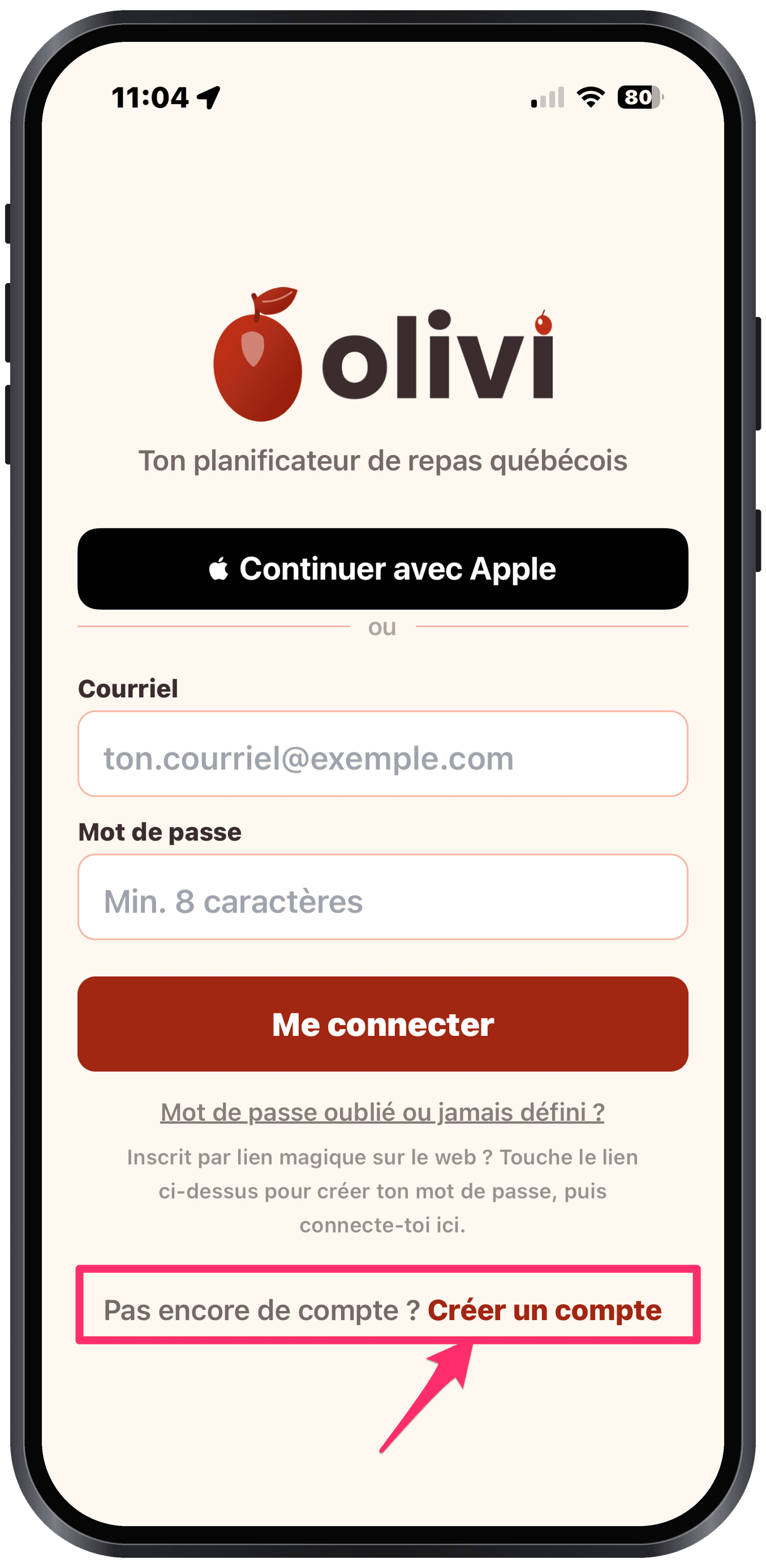
- 1Go to www.olivi.ca and click “Create an account”.
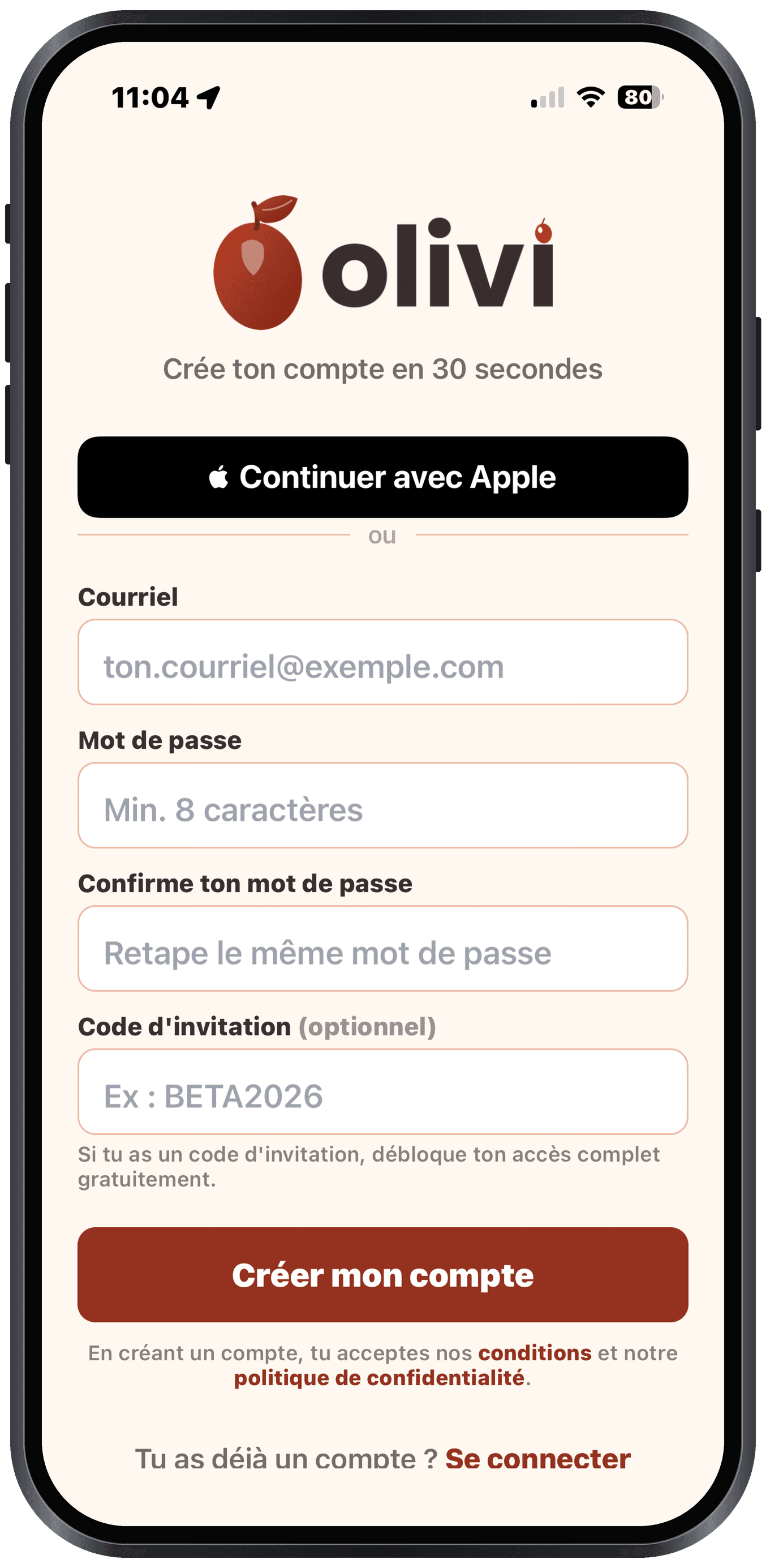
- 2Sign up with your email (or your Apple account).
- 3Enter the code OLIVIBETA in “Invitation code”, and you’re in.
Option 2. On iPhone or iPad (the full experience)
The native app ships through TestFlight, Apple’s official beta tool. You get the voice cooking mode, Dynamic Island timers and offline access.
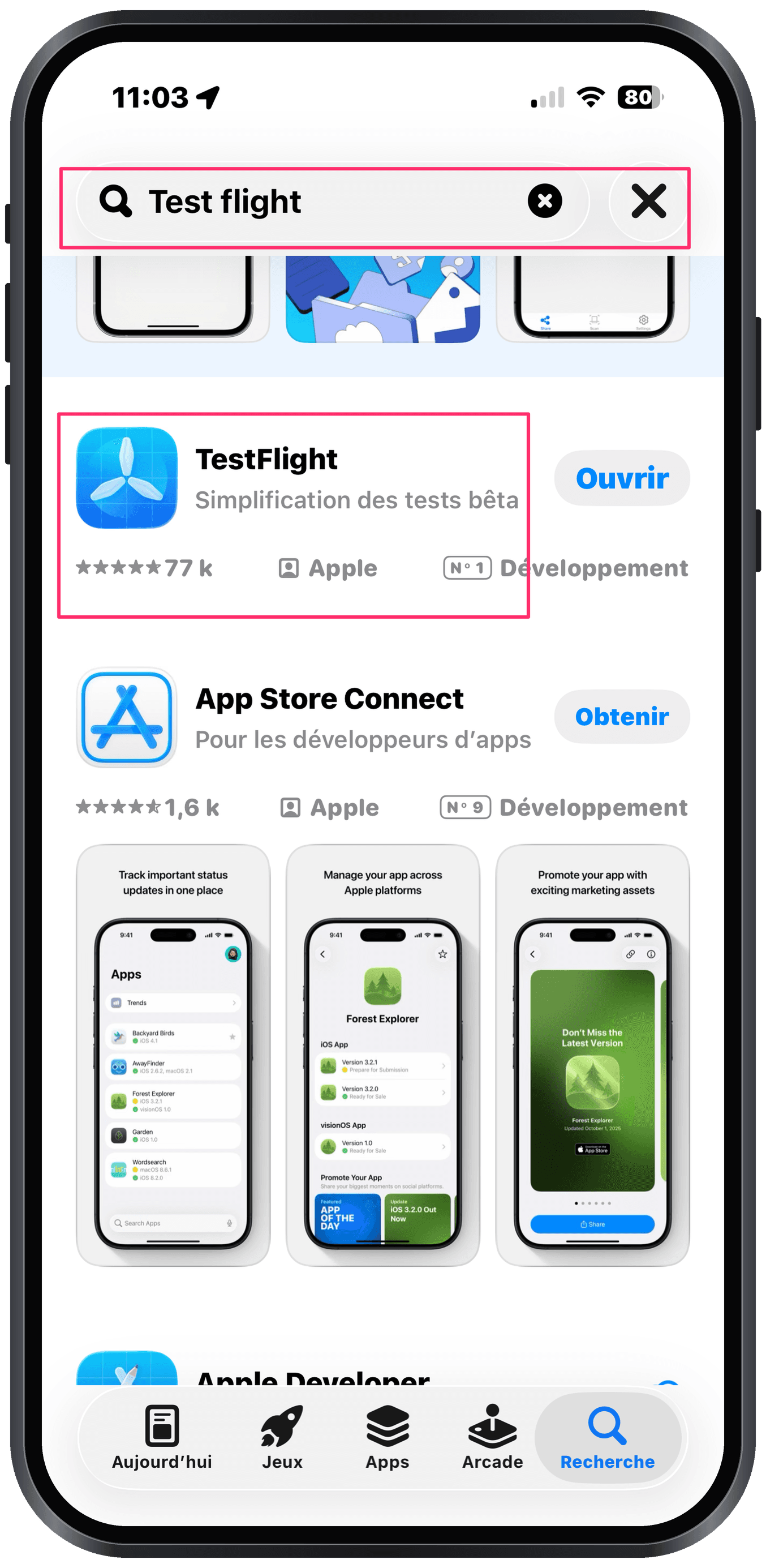
- 1Install TestFlight (free) from the App Store.
- 2Open the invitation link below and tap Accept.
- 3Tap Install: Olivi lands on your home screen.
- 4Open Olivi and create your account with the code OLIVIBETA.
iPhone or iPad on iOS 16 or later. Beta updates then install in one tap, via TestFlight.
What you can test
Your feedback shapes the beta
We’re not fishing for compliments, we want honest testers: what annoys you, what blocks you, what’s missing. Every report makes the app better for everyone.
- In the iPhone/iPad app: take a screenshot and TestFlight will offer to send a comment with the image.
- On the web: the Contact page, two clicks from the footer.
- Or simply reply to the email or message that invited you.
Why you'll receive several updates
It's completely normal, and it's actually good news: during the beta, the app is updated regularly, sometimes several times a week.
- 🐛 We fix the bugs that you and the other testers report to us.
- ✨ We add and improve features based on your feedback.
- 🚀 That's the point of a beta: polishing the app before its public launch, so it's the best it can be.
What do you need to do? Nothing complicated:
- You get a TestFlight notification when an update is ready.
- Open TestFlight, find Olivi, tap “Update”.
- Your data (recipes, plans, lists) is preserved, you lose nothing.
💬 Your feedback matters enormously. If you run into a bug or have an idea, write to us: every piece of feedback makes Olivi better. Thanks for being part of the adventure! 🙏
Frequently asked questions
How much does the beta cost?
Nothing. With the OLIVIBETA code, every feature is unlocked for free until October 31st. Afterwards, the app will offer a free trial then a subscription: no ads, no data resale.
Does it work on Android?
Yes. The Android app is in closed beta: write to us through the contact form with your Google account address and we will send you the Google Play invitation. In the meantime, olivi.ca works in the browser on any Android phone.
What happens to my data after the beta?
Your account, recipes and plans stay intact after the beta. Data is hosted in Canada, and you can export or delete it anytime from your profile.
Trouble with the code or the install, what do I do?
Write to us via the Contact page or reply to the message that invited you: we answer fast during the beta.
Ready to never ask “what’s for dinner” again?
Two minutes to sign up, one week to be convinced, and your feedback counts double during the beta.
OLIVIBETA