
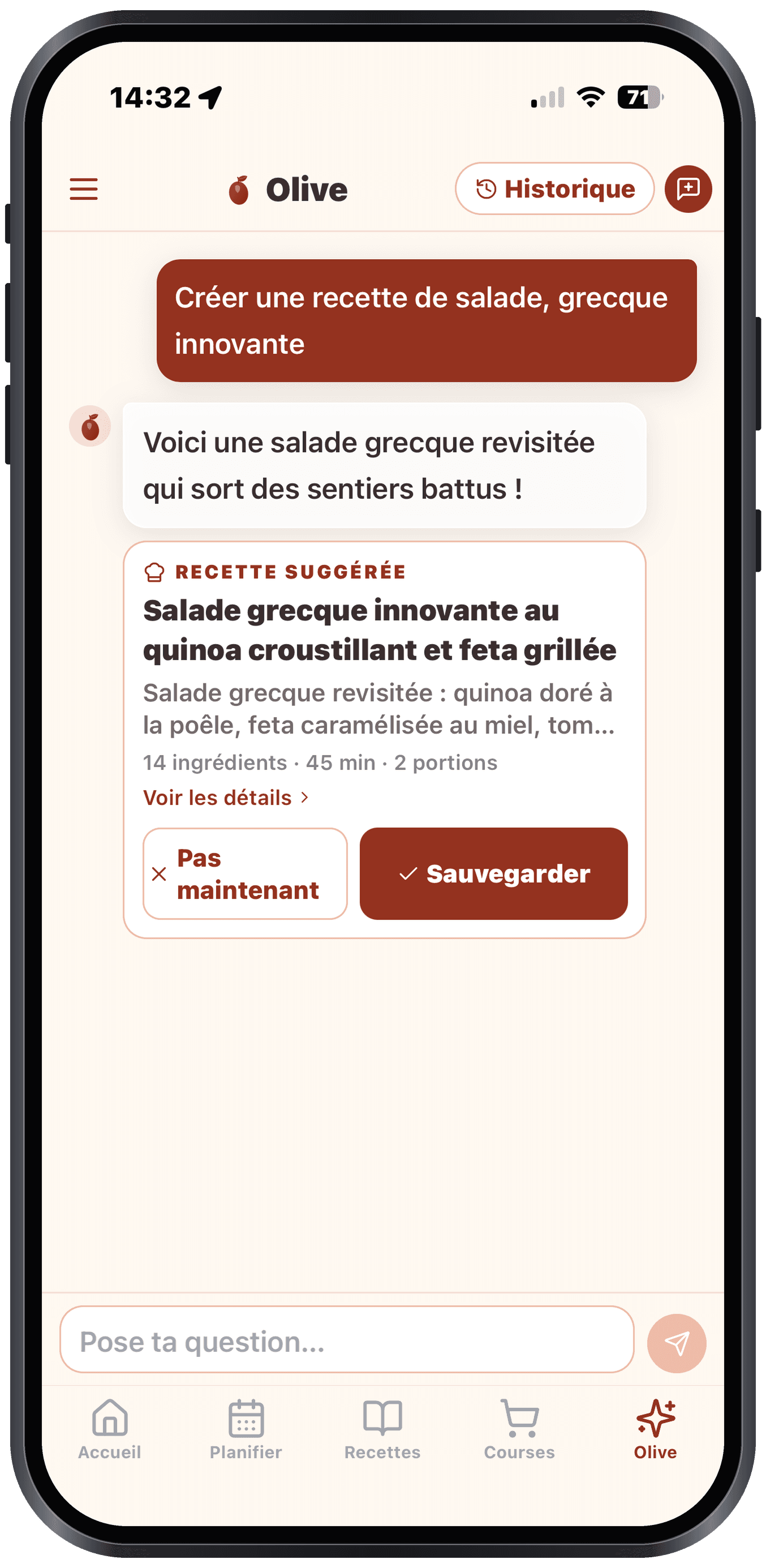
Olive is your AI sous-chef. You can talk to it like a person.
What Olive can do
- Suggest recipes: "Something quick with salmon"
- Explain techniques: "What does tempering chocolate mean?"
- Adapt a recipe: "This recipe in a vegetarian version"
- Calculate: "Convert 2 cups to grams"
- Advise: "Which wine goes with beef bourguignon?"
- Help you use the app: "How do I share my list?", "Where are my favourites?", "How do I turn on two-factor authentication?". Olive knows Olivi's features and guides you.
Tip
Olive also answers questions about how the app works. Stuck somewhere? Just ask it "How does the pantry work?" or "How does Olive create a recipe?": it walks you through step by step, no need to dig through the help centre.
Automatic actions
When Olive suggests something concrete (a recipe, a plan, items for the list), it shows you an action card you can accept in 1 tap. Examples:
- "Here's a dinner idea" → card with "Add to my plan"
- "Here are the ingredients you're missing" → card with "Add to my list"
- "Here's a vegetarian plan for the week" → card with "Adopt this plan"
Start a conversation
- Web: left sidebar, choose "Olive"
- Mobile: the "Olive" tab in the bottom bar
Question suggestions
At the start of a new conversation, Olive offers you 4-6 classic questions to give you ideas. Tap one to get going.
The "✨ Create a recipe for me" chip
In the chat's empty state, the Create a recipe for me button asks Olive, in a single tap, for a recipe tailored to your tastes and allergies. The quickest way to discover recipe generation.